Stop Managing Your To-Do List
Four Obsidian To-Do Views That Don’t Pretend to Run Your Life
I use Obsidian as a brain dump, not as a standardized Personal Knowledge Management system. Notes go in because I want to remember them later.
That philosophy extends to my to-do system.
I used Kanban for a while, but eventually realized I was spending too much time pushing cards around and not enough time doing things. What I actually needed was much simpler: a system that prevents me from forgetting things without pretending to be a control center for action.
Obsidian plus Dataview does that beautifully.
A Map of Content, or MOC, is simply a note that serves as a hub for related notes. My MOC TODO note collects anything that links to it.
The core Dataview query is:
list from [[]] and !outgoing([[]])
In plain English: list notes that link to this note, except those I have already linked manually from this note.
That !outgoing([[]]) clause is a small but elegant trick. It means I can manually link a note somewhere in the MOC and Dataview will stop showing it in the automatic list.
One useful example is a small Next Up section. If I manually link three notes there, they disappear from the Dataview pool because I have already surfaced them deliberately.
I do not personally lean hard on this because “Next Up” can easily become another promise to break, but the mechanism is useful. The important part is that outgoing links can represent a deliberate decision rather than mere filing.
You will also see:
limit 10
at the bottom of each view.
That simply caps the result at ten notes. Ten works well for me because I want a glance, not another endless list, but each view can use a different number.
Maybe Workbench gets 5, Backlog gets 20, and Cobweb Detector gets 10.
Or delete limit entirely and Dataview will show everything that matches.
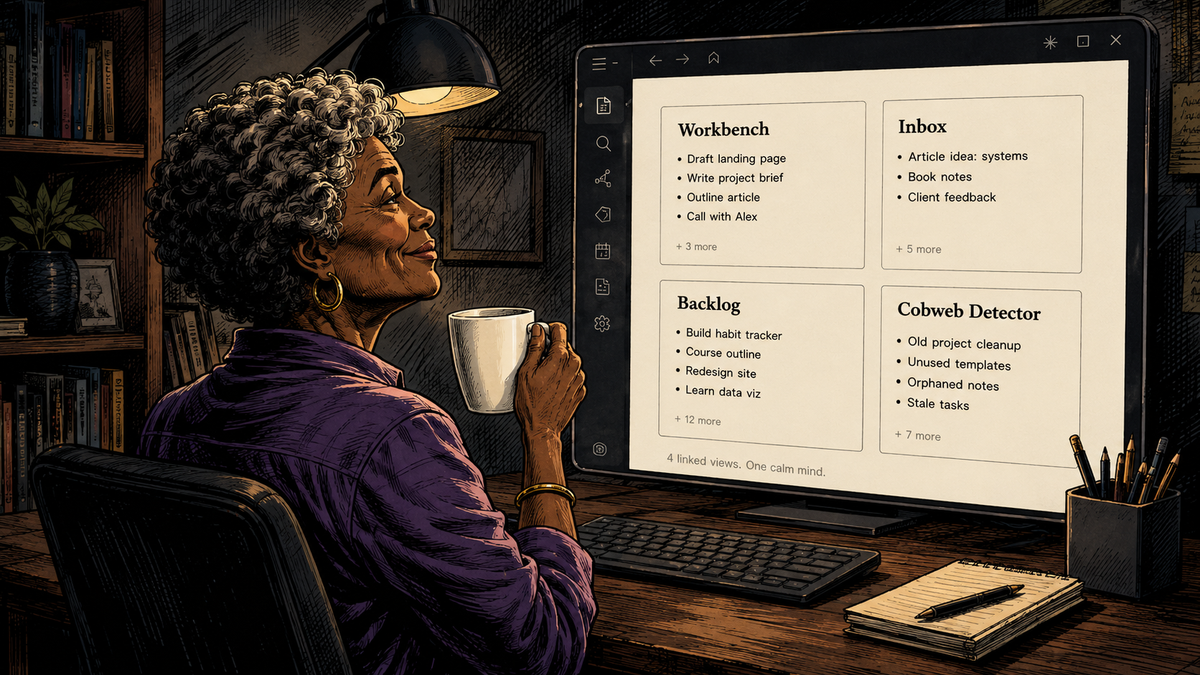
From there, sorting the same pool four different ways creates four different mental models.
Workbench
Sort by modification time, newest first.
This asks: What have I been working on lately?
Touch an old note and it jumps toward the top. That makes this less of a task list and more of an attention history.
A bulk metadata edit can muddy the signal, of course, because modification time only knows that a file changed, not why. In normal use, though, it gives me a surprisingly good picture of where my attention has actually been.
Inbox
Sort by creation time, newest first.
This asks: What did I add most recently?
Editing an old note does nothing to its position. This is useful when I want to see what has recently entered my brain dump.
It also provides a useful contrast with Workbench. A note created six months ago but worked on yesterday is hot in Workbench and ancient in Inbox. Both statements are true. They are simply answering different questions.
Backlog
Sort by creation time, oldest first.
This asks: What has been sitting here the longest?
Touching a file does not save it. Old remains old.
That makes this the closest thing here to an anti-procrastination lens. I can revisit an old item, tweak the wording, think about it for five minutes, and close it again. Backlog is unimpressed. The note is still old.
That is useful information.
Cobweb Detector
Sort by modification time, oldest first.
This asks: What haven’t I touched in ages?
This may be my favorite surprise. Reviewing a stale note automatically refreshes its modification date, so it disappears from the cobweb pile. Sometimes the result is action. Sometimes I realize the item is obsolete. Either way, the review itself did useful work.
Signals, Not Marching Orders
None of these views tells me what I must do next.
That is the point.
I have tried systems that attempt to model execution: priorities, lanes, statuses, commitments, next actions and carefully groomed queues. For me, maintaining the system eventually became another form of work.
My TODO note has a narrower job.
It prevents me from forgetting things.
Workbench tells me what is warm. Inbox tells me what is new. Backlog tells me what is old. Cobweb Detector tells me what has fallen out of sight.
Those are signals, not commands.
A to-do system can be excellent at memory without becoming a project-management religion. These four views simply expose attention, arrival, age and neglect. I decide what matters.
Try the Lenses, Not the System
I would not suggest copying my workflow wholesale. In fact, that would rather miss the point.
Take the same group of to-do notes and look at them through each of these four lenses for a while. You may discover that one view is useless to you and another immediately exposes something your current system hides.
Maybe Workbench is enough. Maybe Cobweb Detector becomes your weekly archaeological expedition. Maybe Backlog is horrifying enough that you never open it again.
Or, like me, you may find value in keeping all four because they ask four different questions without requiring you to maintain four different systems.
Copy-Paste Setup
Workbench
What have I been working on lately?
list from [[]] and !outgoing([[]])
sort file.mtime desc
limit 10
Inbox
What did I add most recently?
list from [[]] and !outgoing([[]])
sort file.ctime desc
limit 10
Backlog
What have I been avoiding longest?
list from [[]] and !outgoing([[]])
sort file.ctime asc
limit 10
Cobweb Detector
What haven’t I touched in ages?
list from [[]] and !outgoing([[]])
sort file.mtime asc
limit 10